
Your data
Getting transactions in from your bank, getting everything out again, and keeping more than one budget.
Pentos holds your budget on your iPhone and nowhere else. That makes getting data in and out something you do deliberately, and this section covers both directions.
Getting data in
Banks export statements as files, and Pentos reads four formats: CSV, OFX, QFX, and QIF.
- OFX, QFX, and QIF name their own fields, so they need no setup.
- CSV is a spreadsheet with no agreed layout, so the first import into an account asks you to say which column is the date, which is the amount, and which is the payee. Pentos remembers the layout for that account.
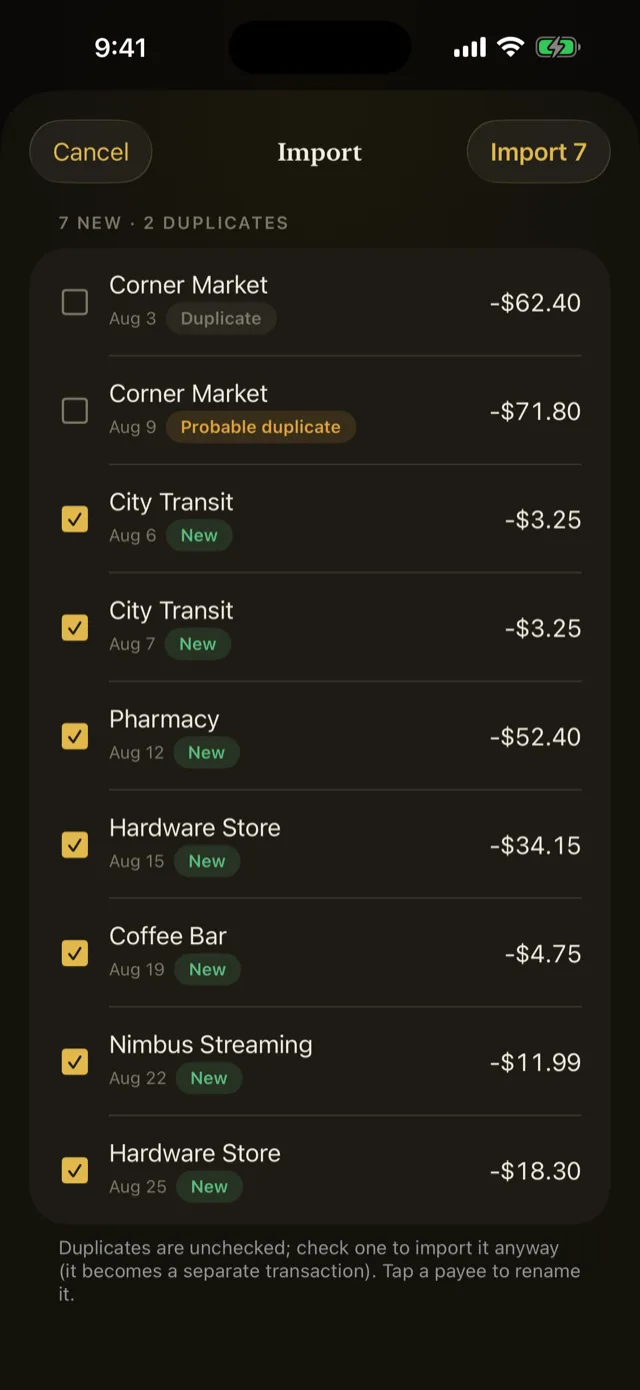
Imports are safe to repeat. Rows that look like ones you already have are flagged as probable duplicates and left unticked, so re-importing an overlapping statement does not double your history.
Your rules run on transactions as they arrive.
Refer to Import a bank statement.
Pentos does not read another budgeting app’s own file format. Most of them will export your history as CSV, and that is the file to bring over.
Getting data out
Two exports, for two different purposes.
Export Backup writes your entire budget to a single file: accounts, transactions, categories, assignments, rules, schedules, goals, settings, everything. It restores into Pentos on any iPhone. This is the one that matters.
Export Transactions CSV writes your transactions as a plain spreadsheet, for anything that is not Pentos.
A CSV is not a backup. It carries transactions and nothing else, so it cannot restore a budget.
Refer to Back up your budget.
More than one budget
Budget Files keeps separate budgets side by side, one open at a time. Useful for a household budget alongside a business one, or for a scratch file to try something in.
Each file is fully independent, with its own accounts, categories, rules, and budgeting method.
Refer to Manage budget files.
Something wrong or missing on this page? Write to supportpentosbudget.com.