
Rules, payees, and schedules
The three things that do the repetitive parts of bookkeeping for you.
Most of what a budget asks of you is repetition. The same shop, filed in the same category, every week. The same rent, on the same day, every month.
Three features exist to take that off you.
Rules
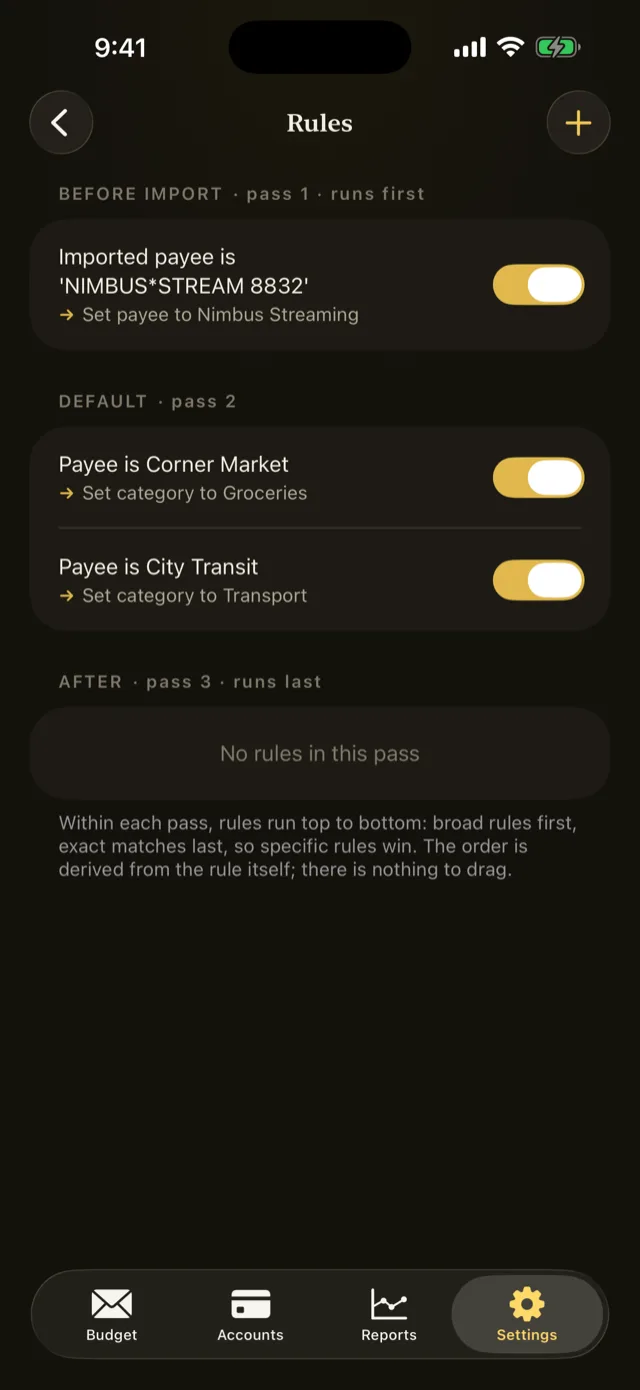
A rule watches for transactions matching conditions you set, and changes them. It can set the category, rename a messy payee, edit the notes, or mark a transaction cleared.
Rules run when transactions are imported, and you can also apply one back through your existing history in one action.
A rule is conditions plus actions:
- Conditions match on the imported payee, the payee, the account, the category, the date, the notes, or the amount. Several conditions combine with all or any.
- Actions set the category, set the payee, set the notes, or set cleared. A rule takes at most one action of each kind.
Rules run in three passes, Before, Normal, and After, which is how you make one rule tidy a payee name and a later rule match on the tidied name.
Refer to Create a rule.
Payees
A payee is whoever the money went to or came from. Pentos creates them as you type and suggests them afterwards, so the second coffee shop transaction is faster than the first.
Bank statements are less tidy than you are, and the same shop can arrive under three spellings. Payee merge folds the duplicates into one name.
Refer to Merge duplicate payees.
Schedules
A scheduled transaction is one that repeats: rent, a subscription, a paycheque.
Each one is Auto, posting on its date without asking, or Manual, waiting in the register for you to approve or skip it. Either way it appears in the register ahead of its date, so the near future is visible rather than a surprise.
Recurrences are weekly, monthly, or yearly, with a Last day of the month option so Jan 31, Feb 28, and Mar 31 all behave. A schedule can also carry a rule for weekends.
Refer to Schedule a transaction.
Where to start
Do them in this order:
- Schedules first. Your fixed bills are the easiest wins, and Find Schedules proposes them from your own history.
- Rules as you go. When you categorise a transaction from a new payee, accept the offer to remember it.
- Payee merge occasionally, after a few imports have created variants.
Something wrong or missing on this page? Write to supportpentosbudget.com.