
Accounts and transactions
Where your money sits, and the register that records what happens to it.
An account is a real place your money is. A transaction is one thing that happened to it. Together they are the ledger the budget reads.
Accounts
Every account has a type, which is a label rather than a behaviour: Checking, Savings, Credit Card, Cash, or Other. Credit cards are ordinary accounts here, with no separate payment machinery.
The setting that does change behaviour is On Budget.
- On Budget accounts feed your envelopes. Their balances make up To Budget, and their transactions change envelope balances.
- Off Budget accounts are tracked but excluded from the budget. Use them for money you want to watch without budgeting.
Whether an account is On Budget is fixed at creation. Decide it when you add the account.
Every account opens with an Opening Balance, recorded as a Starting Balance transaction dated today.
The register
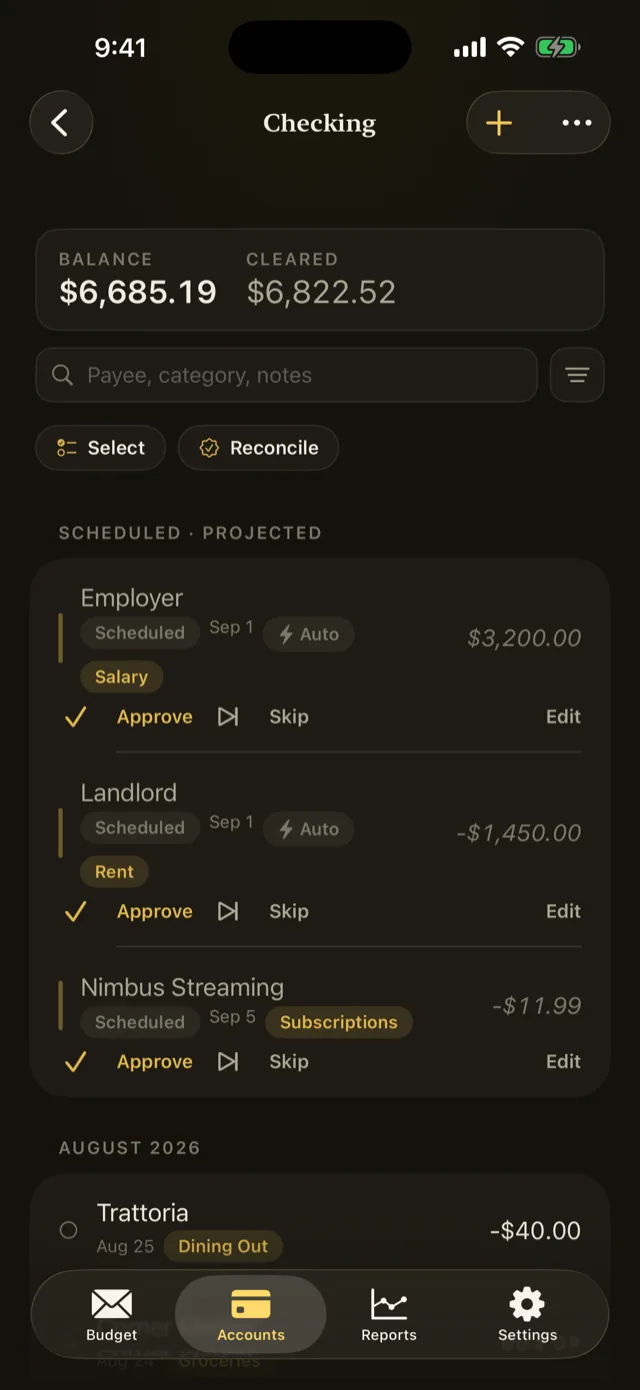
Tapping an account opens its register: its transactions, newest first, with a running balance. There is also an All Accounts row that shows everything in one register.
Each account shows two balances, and the difference matters:
| Balance | What it counts |
|---|---|
| Running | Every transaction, including ones the bank has not processed |
| Cleared | Only transactions marked Cleared |
The chips under the balance are shortcuts into the register. Tapping the one that counts transactions needing a category jumps straight to them.
The three kinds of transaction
Expense and Income are one entry against one account, usually with a category.
Transfer moves money between two of your own accounts and is always two paired rows, one in each account. It has no category, because moving your own money between your own places does not spend it. Edit or delete either leg and Pentos keeps the pair together.
Splits
One purchase can belong to several categories. A split transaction has a parent row carrying the total and lines beneath it carrying the categories.
The parent itself has no category, so it never affects the budget on its own. The lines do.
Cleared and reconciled
Three states, in order of firmness:
- Uncleared by default. You have recorded it; the bank may not have processed it.
- Cleared when you have seen it on the bank’s side.
- Reconciled when it matched a statement during a reconciliation. Reconciled rows lock against edits.
Refer to Reconcile an account.
Undo
Every change is undoable, including bulk edits and deletions, from More in the toolbar. Shaking the device undoes as well.
Something wrong or missing on this page? Write to supportpentosbudget.com.